Overview

WorkBuddy is Tencent’s all-scenario workplace AI agent desktop workstation. Users simply describe their requirements in natural language, and WorkBuddy autonomously plans and executes tasks, delivering ready-to-use artifacts such as documents, spreadsheets, presentations, and research reports. Unlike traditional AI chat tools, WorkBuddy goes beyond answering questions — it can:
  • Autonomously decompose complex tasks
  • Operate local files
  • Invoke Skills
  • Call MCP services
  • Connect to enterprise knowledge bases and office systems
  • Execute multi-step workflows and deliver results
With UToken, you can use a single unified API Key within WorkBuddy to invoke 100+ mainstream models — including Claude, GPT, Gemini, Qwen, DeepSeek, Kimi, and GLM — while benefiting from unified billing, automatic failover, and enterprise-grade reliability.

Quick Integration

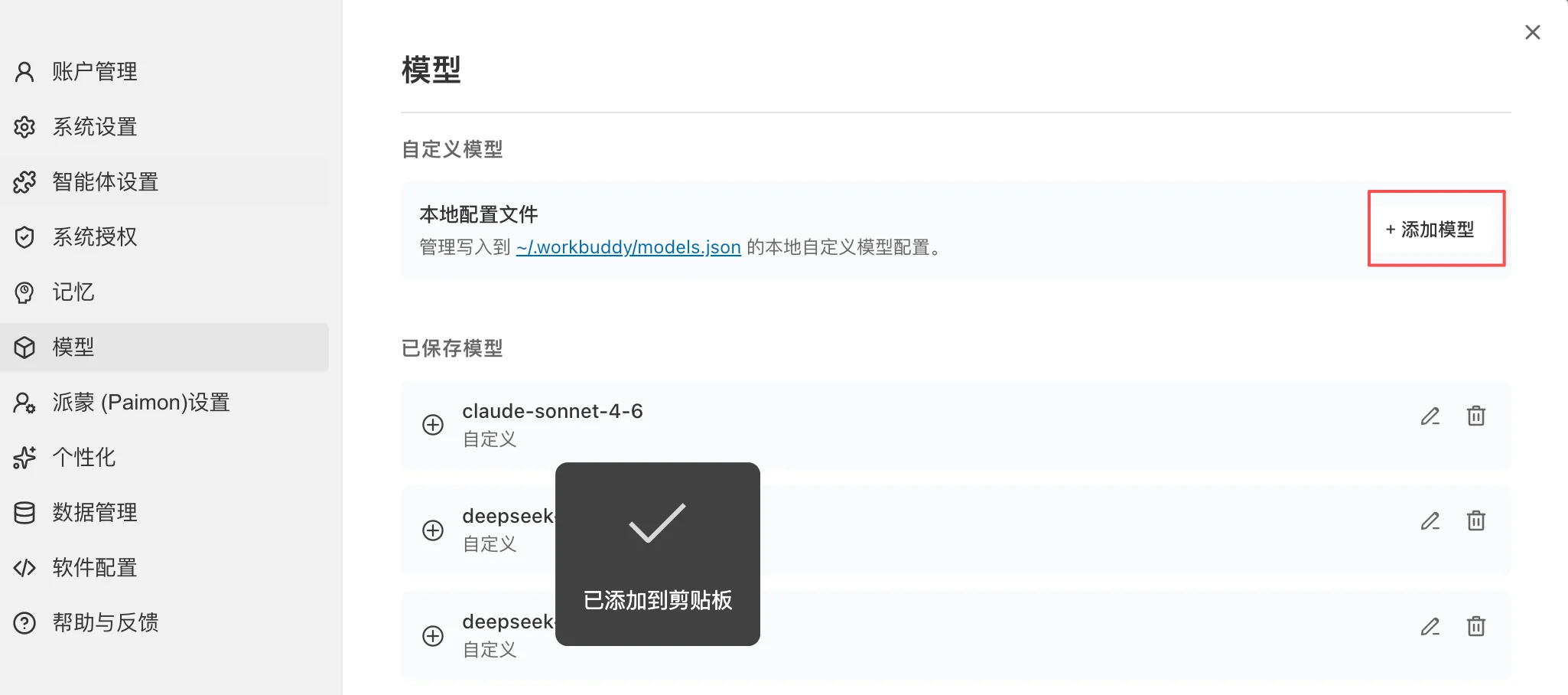
1. Navigate to Model Configuration

  1. Open WorkBuddy
  2. Click your avatar in the bottom-left corner
  3. Go to:
Model Provider
  1. On the Model Management page, click:
WorkBuddy supports:
  • OpenAI Compatible API
  • Tencent Cloud Token Plan
  • Coding Plan
  • Ollama (local models)
  • Custom API

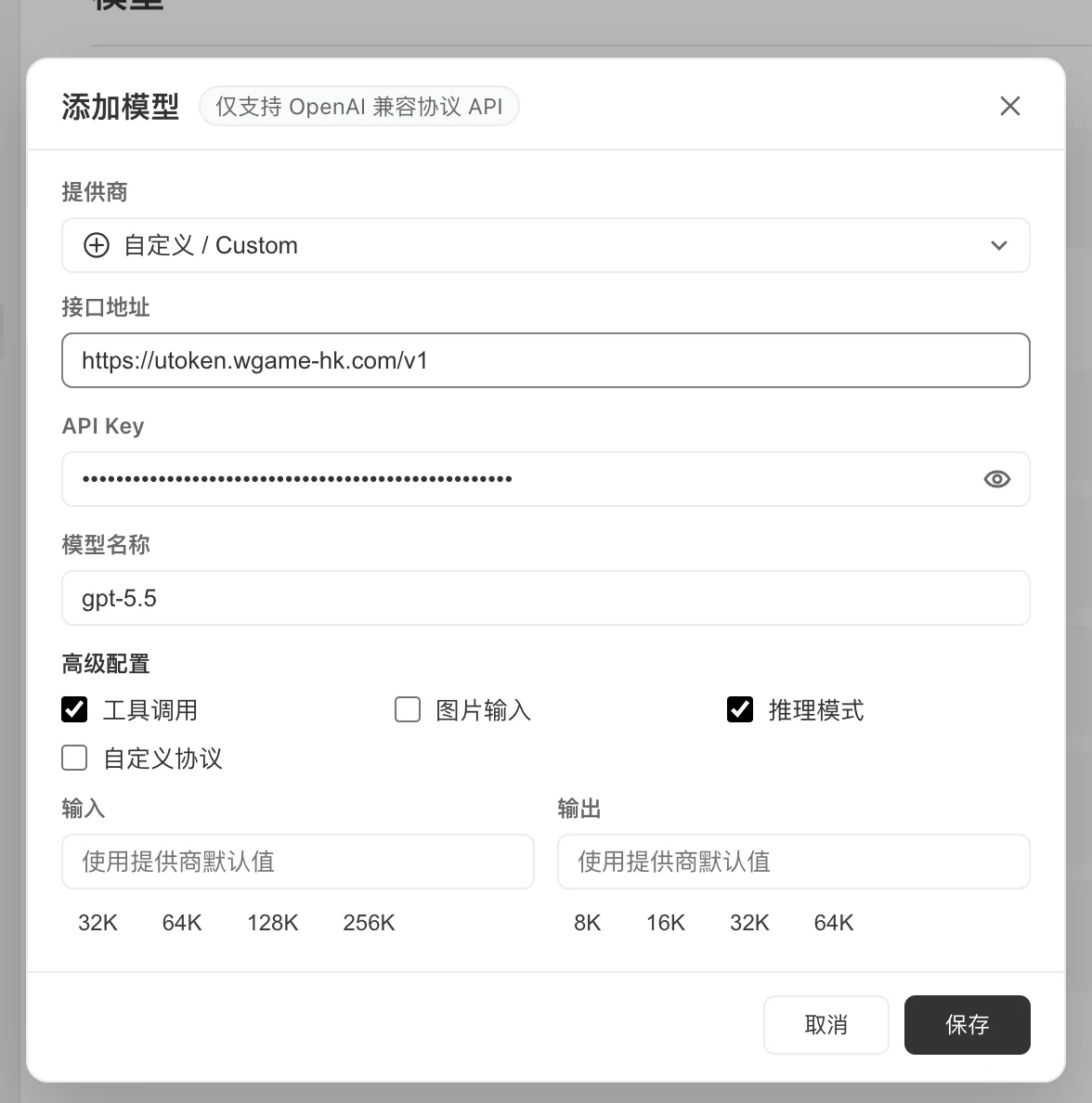
2. Create a Custom Model

Select:
Fill in the following parameters: Example:
Model Provider

4. Auto Mode

WorkBuddy provides an:
mode. It is recommended to specify a model explicitly in production environments to avoid result variance caused by automatic model switching across different tasks.

Core Capabilities

1. AI Office Assistant

Most common usage:
Recommended models:

2. In-Depth Research

WorkBuddy can autonomously:
Example:
Recommended model:

3. Data Analysis

Upload:
Example:
Recommended models:

4. Automated Presentation Generation

Input:
WorkBuddy automatically handles:

5. Local File Processing

WorkBuddy can read from authorized directories:
Example:

Skills and MCP

1. Skills

WorkBuddy supports capability extension via Skills. Commonly used skills:
Usage example:

2. MCP Integration

Supported integrations:
Example:

3. Enterprise Knowledge Base

Supported sources:
Example:

Use Case Examples

Intelligent Operations


Market Research


Development Assistant


Best Practices

1. Use Structured Task Descriptions

Recommended format:

2. Model Selection Strategy


3. Principle of Least Privilege for File Access

Recommendation:
Avoid granting access to the entire disk.

4. Enable Skills On-Demand

Recommendation:

Troubleshooting

Invalid API Key

Check:

Model Not Found

Check:

Tool Calling Failure

Check:

Slow Response

Recommendation:
Also reduce the number of attachments.

Security Recommendations

API Key Management

Do NOT:
Recommended:

Access Control

Recommendation:

Enterprise Deployment

Recommended: